 Akrivos
What Is a Free Web Proxy? How It Works, Benefits, Risks and How to Use One
A free web proxy lets you open websites through an intermediary server instead of connecting to them directly from your device. Rather than showing the destination website your own IP address, the request is handled by the proxy server, which retrieves the page and sends it back to your browser.
This can be useful when you want to access a blocked website, view content from another location, or keep your personal IP address separate from a particular browsing session. However, a proxy is not the same as a VPN, and it does not automatically make every online activity private or secure.
In this guide, we'll explain how the technology works, what it can and cannot protect, how to choose a service, and when a different privacy tool may be more suitable.
What Is a Free Web Proxy?
A free web proxy is an online service that acts as an intermediary between your browser and the website you want to visit. You enter a website address into the service, and its server makes the request on your behalf. The requested page is then returned to you.
Think of it as asking someone else to collect a webpage for you. The destination website receives a request from the intermediary rather than directly from your internet connection.
A typical web proxy is designed for browser-based activity. You visit a proxy site, enter a URL, and open the requested page in a new session or browser tab. You do not usually need to change your device's network settings.
The main distinction is that the service handles the website request for you. It can therefore present its own IP address to the destination website instead of the address assigned to your own connection. This offers a degree of separation between your connection and the site you are visiting, but it should not be confused with complete anonymity.
How Does a Free Web Proxy Work?
To understand how the technology operates, it helps to look at the journey a normal webpage takes.
When you browse directly, your browser sends a request across the internet to the destination website. The website receives that request and responds with the page.
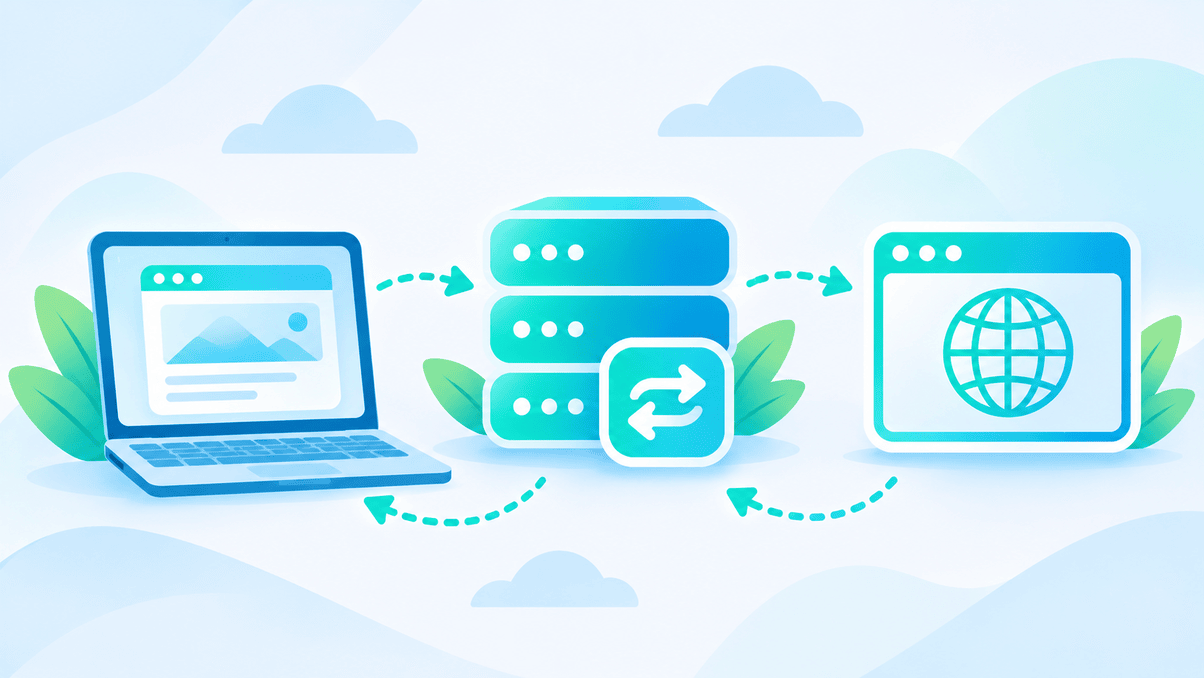
When you use a web proxy, the process takes an extra step:
You enter a website address into the proxy interface.
Your browser sends the request to the intermediary.
The intermediary contacts the destination website.
The website responds to the intermediary.
The intermediary returns the content to your browser.
In other words, the proxy works as a go-between. The destination website generally sees the intermediary's IP address, not the IP address assigned to your own connection.
A browser-based service can also rewrite links, forms and page resources so that further requests continue to pass through its infrastructure. This matters because a modern website is not just one HTML document. Images, scripts, video and other resources may be loaded separately.
For example, BrowserProxy.io describes a system in which pages are requested by its server and returned to the visitor's tab. It also says that links, forms and scripts are rewritten to keep subsequent requests routed through the service. You can explore its features for more information about its browser-based proxy service.
What Can You Do With a Free Web Proxy?
The practical use case depends on the service, its available locations, its technical limits and the rules of the destination website.
Common reasons people use a web proxy include:
Reach restricted pages: It may help you access a blocked website when a network restricts direct access.
View location-dependent content: A service with location choices can make a request appear to come from a different region.
Keep your IP separate: The destination website may receive the intermediary's address rather than your own.
Open websites quickly: A browser-based tool can be convenient for occasional access without changing system settings.
Check regional pages: Marketers and website owners may use different locations to inspect search results, pricing or page variations.
A free online proxy is generally most suitable for a specific website or short browsing task. It is not necessarily the right choice for every activity on your device.
For example, BrowserProxy.io provides a browser interface where you enter a website address and open the result through its service. Its homepage also offers shortcuts to popular sites. This can make it convenient when you want to start browsing without a separate software installation.
Can a Web Proxy Hide Your IP Address?
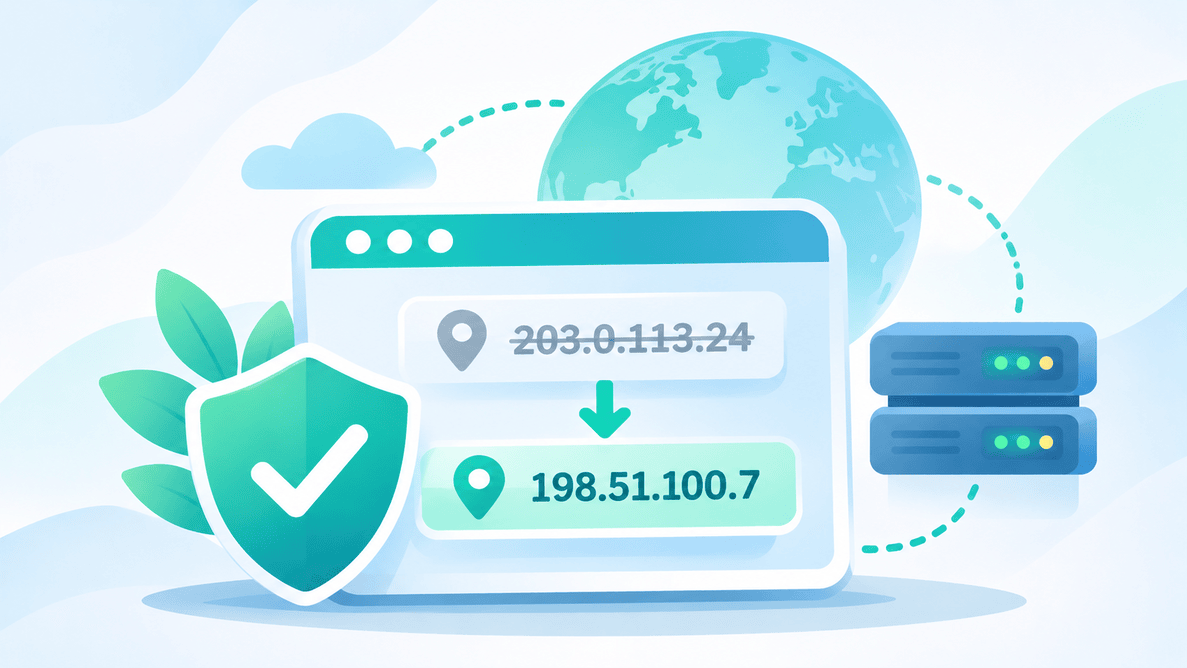
Yes, a web proxy can hide your public IP address from the destination website when the request is correctly handled through the intermediary. The website sees the server making the request, rather than your direct connection.
However, hiding an IP address is not the same as hiding your identity. If you sign in to an account, submit identifying information, or allow a website to recognise existing cookies, the site may still know who you are.
It is also important to distinguish between browser traffic and all network activity. A browser-based service handles the pages opened through it. Other applications on your device continue to use your normal connection.
That means a proxy can provide a useful layer of separation for a particular browsing experience, but it does not guarantee anonymity. Your internet provider, the service operator, the destination website and other parties may each have different visibility depending on the connection and the information involved.
Are Free Web Proxies Safe and Private?
Not all services offer the same level of protection. Some may collect browsing information, retain connection logs, display intrusive advertising or provide limited technical safeguards. Others may explain their data practices and use measures designed to reduce exposure.
Before choosing a service, look beyond the word "free". Read its privacy policy and check what information it collects, how long it keeps it, and whether it shares data with third parties.
Also consider the following:
Does the service explain how sessions and cookies are handled?
Does it describe what connection or activity information is logged?
Does it use HTTPS on its own website?
Does it explain its security limitations?
Is there a clear way to contact the operator?
HTTPS and SSL/TLS are important, but they do not mean that a service operator cannot see information passing through its systems. HTTPS protects data in transit between the browser and the secure website. The destination website can still process the information you submit, and the intermediary may have visibility depending on how the service is designed.
The Electronic Frontier Foundation explains the role of HTTPS encryption and what it does, and does not, conceal from network observers in its guide to transport-layer encryption.
Be particularly careful with passwords, payment details and sensitive personal information. A service that you do not trust should not be given access to accounts or data that you would not share with its operator.
Does a Proxy Protect You on Public Wi-Fi?
A proxy may change how browser requests reach websites, but it should not be treated as a complete security solution for public Wi-Fi. The security of the connection also depends on the network and whether the websites you visit use encryption.
The US Federal Trade Commission recommends checking for HTTPS when using websites, because encrypted connections help protect information sent to those sites. Its guidance is available in Are Public Wi-Fi Networks Safe?.
If you regularly handle sensitive information on unfamiliar networks, consider whether a trusted VPN and good account security practices are more appropriate. A proxy alone is not a substitute for protecting your device and accounts.
Web Proxy vs VPN vs Residential Proxy
These technologies are related, but they serve different purposes.
Technology | What it does | Typical use |
|---|---|---|
Web proxy | Handles selected website requests through an intermediary | Opening pages through a browser |
VPN | Creates an encrypted connection for traffic covered by the VPN | Protecting traffic across a device or configured network |
Residential proxy | Routes requests through IP addresses associated with residential internet connections | Location testing and specialised access requirements |
A web proxy usually focuses on browser activity. A VPN can cover traffic from the whole device when its application is enabled and configured to do so. The exact protection depends on the provider and setup.
Residential proxies are a different category. They use IP addresses associated with residential networks, rather than the addresses commonly associated with data centres. Some services offer real residential or static residential options, but those are not necessary for ordinary webpage access.
For a more detailed comparison, Mozilla explains the difference between a VPN and a web proxy.
How to Use a Free Web Proxy
A browser-based service is usually straightforward. You do not need to configure a separate application or change the network settings on your computer.
For example, to use BrowserProxy.io:
Open the website in your browser.
Enter the website address you want to visit.
Start the request.
Browse the returned page through the service.
The process takes place in your web browser. You can use a free service for a quick task without installing an extension or configuring a separate client.
The service may not support every website. Some pages depend on complex scripts, live connections, authentication systems or other features that an intermediary cannot always handle. A destination website may also restrict requests from shared servers.
BrowserProxy.io states that it supports standard web ports 80 and 443, applies session limits, and may not load sites that block proxy traffic or depend on unsupported features. Its published explanation also says that sessions and cookies are deleted after a period of inactivity. Check the service's current terms and privacy policy before relying on those details.
You can find more information about its capabilities and available options on the BrowserProxy.io Features page.
What Are the Limitations of Free Proxies?
A free service can be useful, but it may come with practical trade-offs.
Speed and bandwidth: Shared infrastructure can become busy. Many free services also impose bandwidth or request limits, which may affect larger pages and video.
Website compatibility: Some websites actively block intermediary traffic. Others rely on complex features that may not work correctly through a browser-based service.
Location choices: A service may provide only a limited number of locations. A free proxy list is not necessarily a reliable indication that every listed server is online or suitable for browsing.
Privacy differences: Operators have different logging, retention and data collection practices. Read the provider's documentation rather than assuming all services offer the same safeguards.
Specialised requirements: Tasks involving automated requests, multiple applications or large-scale data collection may need a different solution. SOCKS5, for example, is a proxy protocol used in configurations beyond a simple browser page. It is not automatically included in a web-based service.
Some proxy providers offer paid options for users who need larger pools of addresses, more predictable availability or specific network configurations. Those services should be assessed against the actual use case rather than assumed to be safer simply because they cost money.
When Should You Use a VPN Instead?
A VPN may be more appropriate when you want to protect traffic beyond a single browser session. Depending on its configuration, it can route traffic from multiple applications through an encrypted connection to the VPN provider.
A browser proxy is more limited. It handles the browsing activity that passes through its interface, rather than automatically covering every application on your computer or phone.
If your priority is device-wide protection, compare reputable VPN services and read their privacy policies. If you only need to open a particular page through an intermediary, a browser-based option may be simpler.
Neither tool makes every online action anonymous. Your accounts, browser fingerprint, cookies and the information you choose to share can still identify you.
Frequently Asked Questions
Does a free web proxy work?
Yes, a free web proxy can work by sending your website request through an intermediary server and returning the requested page to your browser. The destination website generally receives the request from the proxy's IP address rather than your direct connection. However, results vary depending on the service, the website being accessed, server availability and technical compatibility. Some websites block proxy traffic, while others rely on scripts or connections that a browser-based proxy may not fully support. For a straightforward browsing task, you can try BrowserProxy.io directly in your browser.
Are free web proxies legal?
Using a web proxy is not automatically illegal. In many countries, proxy technology has legitimate uses, including privacy testing, network administration, research and accessing websites through an intermediary. However, what you do through a proxy still matters. Copyright infringement, fraud, unauthorised access and other unlawful activities do not become legal simply because you use a different IP address. Website terms and local network policies may also restrict proxy use. If you are unsure about a particular activity, check the applicable laws and the rules of the website or network involved.
Can I use a proxy to unblock websites?
A web proxy can sometimes help you access a blocked website by retrieving its content through an intermediary server. This may be useful when a school, workplace or network restricts direct access, or when a website displays different content depending on the visitor's location. However, it is not a guaranteed solution. The destination website may recognise and block proxy traffic, and some pages may not load correctly because of scripts, login requirements or technical restrictions. You should also respect local laws, network rules and the content provider's terms.
Can a proxy be tracked?
Yes. A proxy does not make every part of your online activity untraceable. The proxy operator may have access to connection information, depending on its logging practices, while websites can recognise visitors through account logins, cookies, browser fingerprinting and other identifiers. Your internet provider may also be able to see that you are connecting to a proxy service, even if it cannot see every detail of an encrypted connection. Hiding your public IP address from a destination website is useful, but it should not be confused with complete anonymity.
Do I need to install software to use a free web proxy?
Not necessarily. A browser-based web proxy lets you enter a website address through an online interface and open the result in your browser. This means you generally do not need to download a separate application, configure network settings or install a browser extension. For example, BrowserProxy.io provides a web-based interface for accessing websites through its service. You can review its features to understand what it offers. Remember that a browser-based proxy handles the browsing activity routed through it, not automatically every application on your device.
Is a free web proxy the same as a VPN?
No. A web proxy and a VPN both involve routing network traffic through another server, but their coverage is different. A browser-based proxy usually handles requests made through its own interface, while a VPN can route traffic from multiple applications across a device when properly configured. VPN services commonly provide an encrypted tunnel between your device and the VPN server. A proxy may also use HTTPS for its own connection, but this does not automatically provide device-wide encryption or protection. The right option depends on whether you need access to a particular website or broader network protection.
Can I stream videos through a free web proxy?

Some web proxies support video streaming, but performance and compatibility depend on the service and the platform. Video playback can require substantial bandwidth, multiple content requests and scripts that may not work correctly through every intermediary. Shared servers can also become busy, causing buffering or slower playback. Streaming platforms may restrict access from known proxy addresses, so successful playback cannot be guaranteed.
Some services also use different IPs to help users browse anonymously, although this does not guarantee complete anonymity. If you want to browse anonymously, remember that websites may still identify you through account logins, cookies or other tracking methods. BrowserProxy.io describes video playback support among its features, which you can review on its Features page. Actual results may still vary depending on the video website and its restrictions.
What should I check before choosing a free web proxy?
Start by reading the provider's privacy policy to understand what information it collects, whether it stores connection records and how it handles browsing sessions. Check whether its website uses HTTPS and SSL encryption, whether its limitations are clearly explained, and whether it provides information about cookies, session handling and security. You should also consider speed, website compatibility, location options and usage restrictions. If you use free proxies, check whether installation is required or whether the service works directly through a proxy browser.
Look for a free proxy site that explains how it handles blocked content and what its service can actually do. If you're searching for the best free option, don't rely on marketing promises alone. Be cautious of services promising complete anonymity or unlimited protection without explaining how they work. A transparent provider with clearly documented features is a better starting point than choosing a service based only on the word free.
Can I Choose a Country or Location With a Free Web Proxy?
Some free web proxies allow you to choose the country or server location through which your website requests are routed. This can make a difference when you want to access content that is available in another region, check location-specific search results or see how a website appears to visitors from a different country. However, not every service offers location selection. Some free proxies use a fixed server location, while others provide a limited choice of available locations.
Before choosing a service, check whether it publishes its available locations and explains how server selection works. Keep in mind that selecting a country does not guarantee access to every region-restricted website. Streaming platforms and other services may identify and block proxy IP addresses, and some websites use additional location checks.
A proxy also does not change your physical location or guarantee anonymity. It changes the apparent IP address used for requests routed through the intermediary. If choosing a particular country matters to your use case, look for a provider that clearly lists its supported locations and explains any restrictions. You can visit BrowserProxy.io and review its features to learn more about its browser-based proxy service and available options.
Conclusion: Is a Free Web Proxy Right for You?
A free web proxy can be a practical option when you want to access blocked websites, view restricted content or browse websites without installing additional software. By routing requests through an intermediary server, it can hide your real IP address from the destination website and provide another way to access content. Whether you need private browsing, anonymous browsing or a simple way to bypass certain network restrictions, the right service depends on your requirements.
However, remember that no proxy automatically guarantees complete anonymity. Choose a secure web proxy or secure proxy with transparent privacy practices if you want to protect your privacy. Before you use a free proxy, check its features, privacy policy and server list. A free proxy server may be suitable for occasional browsing, but a proxy server is not a replacement for device wide VPN protection.
For straightforward browser access, BrowserProxy.io provides a web proxy site where you can enter a website address and start browsing. Explore its features to understand how the service works and decide whether it is the best fit for your browsing needs.